
and why the best one might not be a journal
You’ve probably downloaded a journaling app before. Maybe three. They’re still on your phone, in a folder you don’t open, sitting behind the food-delivery apps you actually use. You wrote for four days. Then a Tuesday got busy, the streak broke, and the blank page started to feel like one more thing you were quietly failing at.
That’s not a discipline problem. It’s a very common journaling story: start strong, quit by week two, feel a little worse for having tried.
So before the list, one honest thing the glossy roundups skip: the research on journaling is real, but smaller than you’ve been sold. Pooled studies of expressive writing put its effect anywhere from not significantly different from zero to moderate, depending on who was studied and what it was compared against.
Writing about something hard can also leave you feeling worse for a while, and for some people it quietly turns into rehearsing the bad thing instead of releasing it. None of that means don’t journal. It means pick the app that fits how you actually fail at this, not the one with the prettiest screenshots.
Quick Summary
- Journaling’s real benefit is modest, and in some studies it is hard to tell from zero. The app that works is the one you’ll still open in a month.
- We ranked these by how little friction it takes to start, and whether anything useful comes back after you write.
- The standout is VentSpace, a journaling app whose AI turns your entries into realizations, a personalized action plan, and a balance map.
Insight: what the science actually says
The pooled estimates for the classic expressive-writing exercise run from not significantly different from zero (30 randomised trials, Mogk 2006) through small (Frattaroli 2006) to moderate against a waiting list at long-term follow-up (Gerger 2022, 44 trials), where plain neutral writing did almost as well. Journaling can help. It is not a cure, and it was never magic.
Mogk et al., 2006; Frattaroli, 2006; Gerger et al., 2022.
How we judged these
Not by star ratings. By the two things that actually decide whether an app survives past week two:
– Friction: how hard is it to start on a bad day? The blank page is the hardest part to get past.
– What happens after you write: does anything come back to you, or does it vanish into a feed of old entries?
Privacy, price, and platform break the ties. No app paid for placement here, and where a price couldn’t be verified on a primary store page, it’s flagged.
The apps at a glance
| App | Best for |
| VentSpace | The standout: journaling that becomes realizations, an action plan, and a balance map |
| Day One | The polished all-purpose journal |
| Journey | Journaling across every device you own |
| Penzu | A private, traditional diary |
| Diarium | One-time price + Windows users |
| Apple Journal | The frictionless free start (iPhone) |
| Daylio | People who won’t write a sentence |
| Finch | Gentle accountability when discipline isn’t the answer |
| Stoic | Structured morning-and-night reflection |
| Five Minute Journal | A fast gratitude habit |
| Grid Diary | Beginners who need prompts |
| Reflectly | Absolute beginners who want it pretty |
| Rosebud | Talking it out with an AI |
The classic free-form journals
Free-form means a blank canvas: you write whatever you want. It’s the most expressive way to journal, and the blank page is also exactly where it is easiest to stop. Ranked by friction and by what you actually get back.
VentSpace
VentSpace is our own journaling app, but the journaling is just the front door. You write freely, or start from one of its built-in prompts and guided capsules, and an AI reads what you wrote and turns it into something you can use: named realizations, a personalized action list, and a live read on how balanced your life is.
That’s the difference from everything else here. Most journals store your entries; VentSpace converts them. Your writing becomes realizations you can revisit, action items split into habits and routines that drop straight into your calendar, and a balance picture across the parts of life that actually matter: career, relationships, health, wealth, growth, adventure. It’s an Inner Map, with a stability score for each of those areas and a realizations tab that gathers what you’ve worked out over time, plus enough gentle gamification to make balance feel like progress instead of homework.
The longer you use it, the more it fills in. Journaling is the entry point; finding balance and grounding yourself is the actual product.
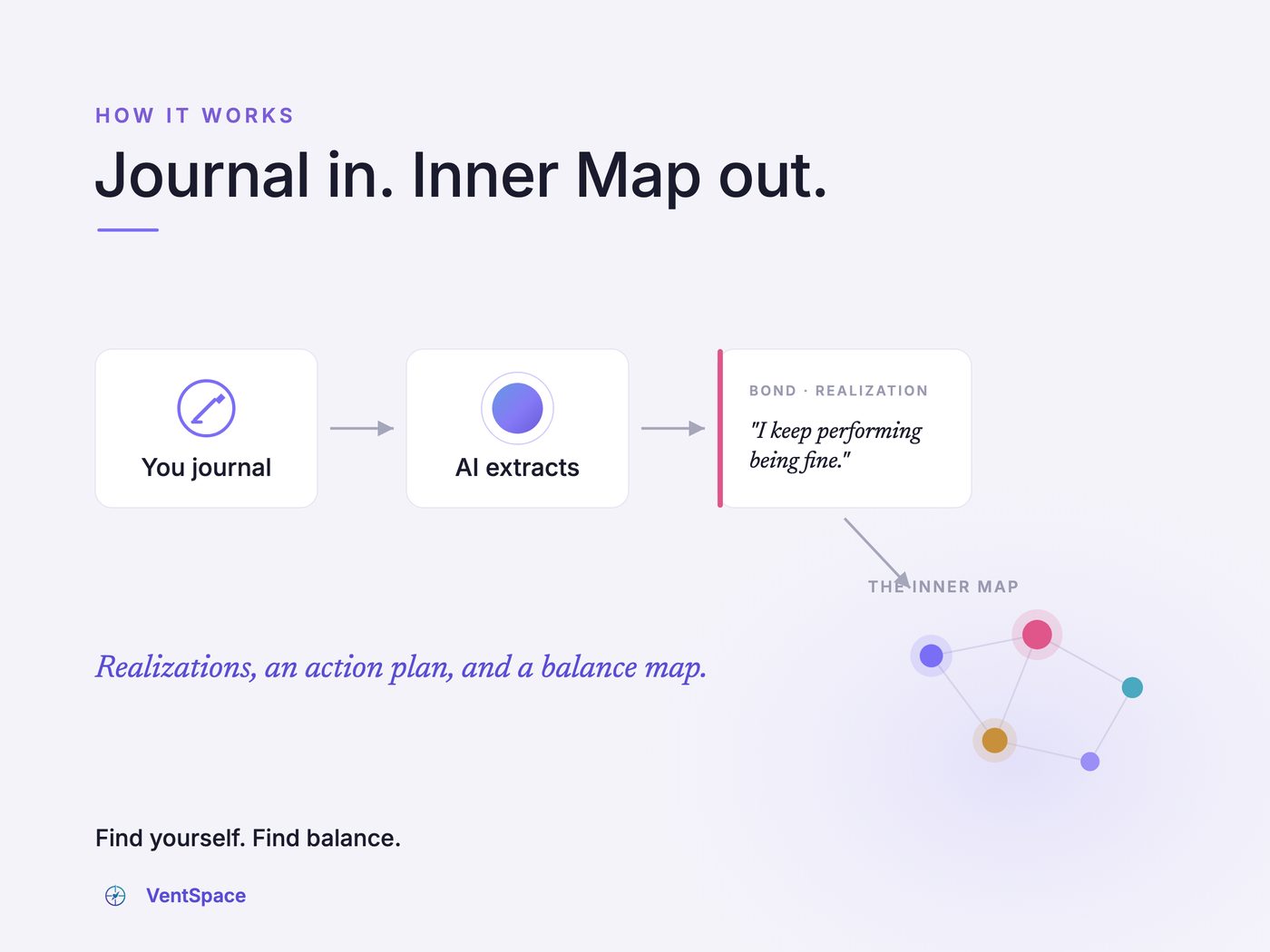
Alt: How VentSpace works: you journal, the AI extracts a realization, and an Inner Map of your life balance fills in.
| Spec | Detail |
| Type | Journaling app (free-form + prompts + capsules), AI-driven |
| Platforms | Android (for now) |
| Price | Free to start |
| Best for | People who want to find balance in life |
| Pros | All-in-one: journaling becomes realizations, a personalized action plan, and a life-balance map; free right now and likely to stay cheap |
| Cons | Android-only for now; newer than the incumbents |
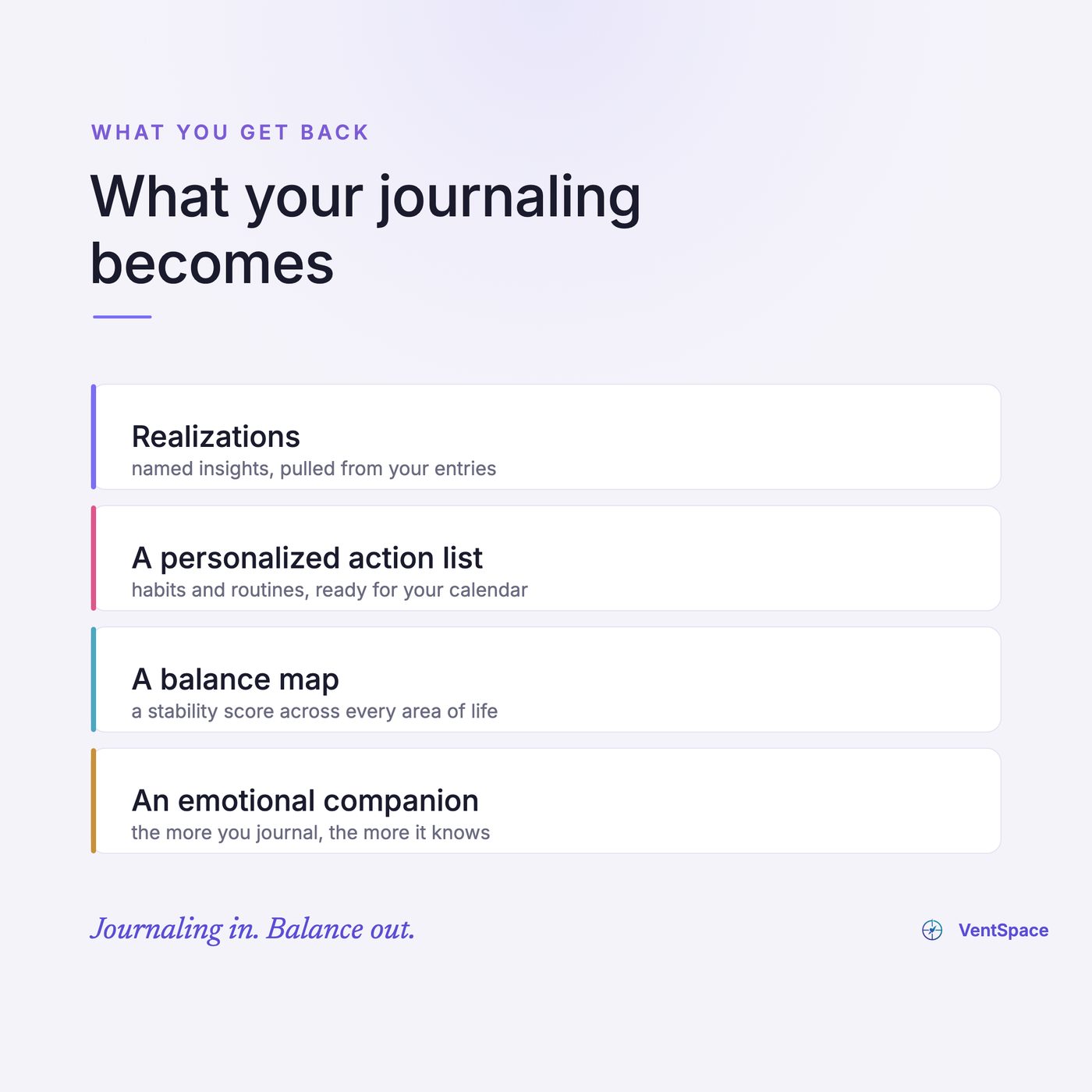
Alt: What your journaling becomes in VentSpace: realizations, a personalized action list, and a balance map.
Who it’s for: anyone who wants journaling to actually change something, not just record it, and anyone looking for more balance across the stages of their life.
Verdict: the strongest pick here if you want the writing to lead somewhere. It turns your journaling into realizations, an action plan, and a balance score. The honest catch: it’s Android-only for now.
Day One
The journal almost every roundup crowns, and the praise is earned: a genuinely beautiful, calm writing space with encryption and rich media, the kind of app people happily keep for years once the habit is already there.
| Spec | Detail |
| Type | Free-form, multimedia |
| Platforms | iOS, Android, Mac, Windows, web, watch |
| Price | Free tier, paid plans about $50 to $75/yr [unverified] |
| Best for | The polished all-rounder |
| Pros | Beautiful interface; end-to-end encryption; photos and location baked in |
| Cons | Sync lives behind the subscription; Android weaker than iOS |
Who it’s for: writers who already have the habit.
In practice: a lovely design, held back by the paywalled sync and the weaker Android app.
Verdict: the best blank page in the business, but the blank page is still the catch.
Journey
Day One’s main rival, and the one to pick if your life is spread across devices. It runs on basically everything, web and Linux included, and it will sell you a lifetime license instead of renting you the software forever.
| Spec | Detail |
| Type | Free-form, with a light coach |
| Platforms | iOS, Android, Mac, Windows, web, Linux |
| Price | Freemium, lifetime option [price unverified] |
| Best for | Writing across every device you own |
| Pros | Runs almost everywhere; lifetime license option; clean and simple |
| Cons | Frequent upgrade prompts; occasional surprise auto-renewals |
Who it’s for: people who switch between a work PC, a phone, and a tablet. In practice: reliable and flexible, with a few too many nudges to upgrade. Verdict: the most portable journal here. Turn off auto-renew the day you subscribe.
Penzu
The closest thing to a locked paper diary. Penzu built its whole identity on privacy, a deliberately closed, no-frills space that exists to keep your words to yourself.
| Spec | Detail |
| Type | Free-form web diary |
| Platforms | web, iOS, Android |
| Price | Freemium [price unverified] |
| Best for | A private, traditional diary |
| Pros | Strong privacy (double password); simple, distraction-free |
| Cons | Dated interface; mobile feels secondary to the web app |
Who it’s for: people who want a diary, not a platform. In practice: private and plain, if a little old-fashioned. Verdict: pick it for privacy above all, not for polish.
Diarium
The one you buy once and own. In a category built on subscriptions, Diarium charges a single fee, runs properly on Windows, and quietly pulls in your photos and activity to jog your memory.
| Spec | Detail |
| Type | Free-form aggregator |
| Platforms | Windows, Mac, iOS, Android |
| Price | One-time, ~$9.99/platform |
| Best for | Windows users who hate subscriptions |
| Pros | One-time price; great on Windows; auto-imports photos and fitness data |
| Cons | The fee is per platform; less polished than Day One |
Who it’s for: anyone tired of renting software, and the Windows crowd everyone else ignores. In practice: great value, a bit utilitarian. Verdict: the smart budget pick if you live on Windows.
Quick Summary: the free-form journals
Q: Which free-form journaling app is best?
A: VentSpace if you want your journaling to lead somewhere. Then Day One for polish, Journey if you live across devices, Penzu for pure privacy, Diarium to pay once instead of subscribing.
The low-friction option (for people who won’t write a paragraph)
If the blank page is where you always quit, the fix isn’t more willpower. It’s less writing.
Apple Journal
The lowest-friction free start, if you have an iPhone. It’s already on the phone, it nudges you with suggestions from your day, and there’s nothing to set up or pay for.
| Spec | Detail |
| Type | Free-form, with suggestions |
| Platforms | iOS only |
| Price | Free |
| Best for | The easiest possible free start |
| Pros | Free; already installed; encrypted; smart suggestions |
| Cons | iPhone-only; no real export, so your entries are locked in |
Who it’s for: anyone who wants to try journaling tonight without choosing or paying for anything. In practice: effortless to start, frustrating to leave. Verdict: the best free on-ramp, if you never plan to switch phones.
Daylio
Journaling for people who hate journaling. You tap a mood and a few icons, no sentences required, and over weeks it draws out the patterns.
| Spec | Detail |
| Type | Mood tracker (micro-journaling) |
| Platforms | iOS, Android |
| Price | Freemium [price unverified]. Play listing says it contains ads |
| Best for | People who won’t write a sentence |
| Pros | Almost no writing; fast; clear pattern charts |
| Cons | It tracks, it doesn’t reflect; shows you what, rarely why |
Who it’s for: anyone who wants the data of self-tracking without the writing. In practice: quick and easy, but shallow on its own. Verdict: great for spotting patterns, thin for understanding them.
Finch
The one people actually keep, because it’s kind to you. You raise a small bird by checking in on yourself, and the gentleness is the feature.
| Spec | Detail |
| Type | Gamified self-care + journal |
| Platforms | iOS, Android |
| Price | Freemium [price unverified, varies by offer] |
| Best for | Gentle accountability when discipline isn’t the answer |
| Pros | Kind, low-pressure nudges |
| Cons | The interface can feel cluttered; the pet framing is not for everyone |
Who it’s for: people for whom shame-based streaks backfire. In practice: built around kindness rather than streak pressure. Verdict: if kindness works on you where pressure doesn’t, start here.
Quick Summary: the low-friction apps
Q: What’s the best journaling app if I hate writing?
A: Apple Journal for the free no-setup start (iPhone), Daylio if you’d rather tap than type, Finch if discipline isn’t your problem and kindness works better than streaks.
The guided and prompted journals
Open-ended writing is where some people spiral, and a prompt can give the writing a direction.
Insight: brooding and reflection are not the same thing
Researchers split rumination into “brooding” (moody pondering on what’s wrong) and “reflection” (a more neutral turning-over). Brooding was more strongly tied to depression. Reflection was not simply the healthy half: it went with more depression at the time and less later, and the finding is correlational. One of the reflection items is literally “write down what you are thinking and analyze it”, and the analyze it half is the part doing the work.
Treynor, Gonzalez & Nolen-Hoeksema, 2003.
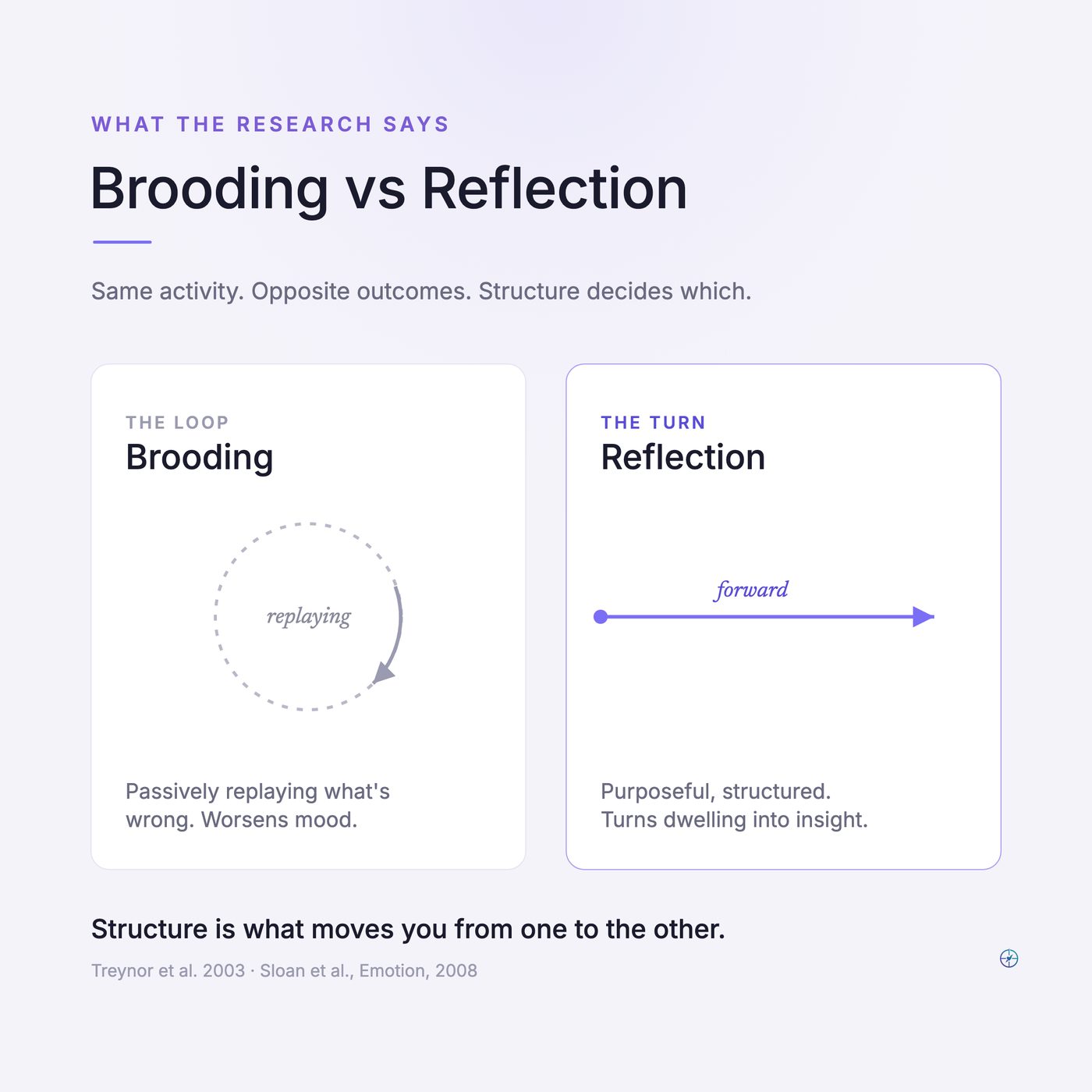
Alt: Brooding vs reflection: a closed grey loop beside a forward purple arrow (the research split).
Stoic
The most structured daily practice here. Stoic walks you through a morning intention and an evening reflection, with prompts grounded in CBT and Stoic philosophy.
| Spec | Detail |
| Type | Guided (CBT + Stoic) |
| Platforms | iOS, Mac, Android |
| Price | Subscription, ~$30-40/yr |
| Best for | A structured morning-and-night routine |
| Pros | Genuinely structured; strong prompts; mood tracking underneath |
| Cons | Privacy is a premium feature; short trial |
Who it’s for: people who want a guided routine, not a blank box. In practice: the structure makes it easy to come back, and the privacy paywall stings. Verdict: the best daily practice here, if you read what’s free first.
Five Minute Journal
The famous five-minute gratitude format, in app form. Same three prompts each morning, a short reflection at night, and the structure is the entire point.
| Spec | Detail |
| Type | Guided gratitude (AM/PM) |
| Platforms | iOS, Android |
| Price | Paid [price unverified] |
| Best for | A fast, repeatable gratitude habit |
| Pros | Quick; proven format; almost impossible to overthink |
| Cons | Repetition fatigue; the science says daily gratitude can start to feel like homework |
Who it’s for: people who want a tiny ritual, not a practice. In practice: lovely at first, easy to autopilot. Verdict: keep it if it stays alive; do it weekly, not daily, if it goes hollow.
Grid Diary & Reflectly
Two beginner on-ramps. Grid Diary hands you a tidy grid of questions; Reflectly wraps AI-guided mood journaling in a soft, pretty interface aimed at first-timers.
| Spec | Detail |
| Type | Templated / AI-guided |
| Platforms | iOS, Android (Grid Diary also Mac) |
| Price | Freemium [prices unverified]. Reflectly’s Android build not updated since March 2026 |
| Best for | Beginners who need the app to ask the questions |
| Pros | Easy to start; the prompts do the thinking |
| Cons | Reflectly’s prompts get repetitive; reports of hard-to-cancel trials and surprise charges |
Who it’s for: complete beginners. In practice: gorgeous and easy at first, with Reflectly the cautionary billing tale of the category. Verdict: fine on-ramps. Set a reminder before any trial ends.
Quick Summary: guided journals
Q: Are prompted journaling apps better than free-form ones?
A: If you’ve quit before, probably yes. A prompt can give the writing a direction when a blank page turns into dwelling. Stoic for a full routine, Five Minute Journal for speed, Grid Diary or Reflectly to ease in. Just watch the trial renewals.
The AI journals
The newest category: apps that talk back.
Rosebud
Journaling as a conversation, not a blank page. Rosebud asks therapist-style follow-up questions and reflects patterns back, so it feels less like writing and more like being asked the right thing.
| Spec | Detail |
| Type | AI chat journal |
| Platforms | web + mobile |
| Price | Subscription only, $12.99/mo or $107.99/yr (rosebud.app, read 9 Oct 2026). Free plan retired 30 Sep 2026 |
| Best for | Talking it out when a blank page freezes you |
| Pros | Conversational; good follow-up questions; reflects patterns back |
| Cons | Not a therapist; subscription-only; not a place for a crisis |
Who it’s for: people who freeze at a blank page but can answer a question. In practice: easier to open up to than you might expect, within limits. Verdict: useful for an ordinary hard week, never a substitute for real care.
Insight: the honest ceiling on all of these
A meta-analysis of 176 randomised trials and more than 20,000 people found that mental health apps produced small but real improvements against control, and it did not test any named consumer app. Translation: these apps help a little, for the people who stick with them. Pick for stickiness, not for promises.
Linardon et al., World Psychiatry, 2024.
All thirteen, side by side
| App | Type | Price | Platforms | Best for | The watch-out |
| VentSpace | Journaling + AI insights | Free to start | Android | Finding balance in life | Android-only for now |
| Day One | Free-form | Free + ~$50-75/yr [unverified] | All major | Polish | Sync paywalled |
| Journey | Free-form + coach | Freemium [unverified] | All major | Cross-platform | Renewal nudges |
| Penzu | Web diary | Freemium [unverified] | Web, mobile | Privacy | Dated UI |
| Diarium | Aggregator | One-time ~$10/platform | Win/Mac/mobile | Pay-once + Windows | Per-platform fee |
| Apple Journal | Free-form | Free | iOS only | Free start | No export |
| Daylio | Mood tracker | Freemium [unverified] | iOS, Android | Non-writers | No real reflection |
| Finch | Gamified care | Freemium [unverified] | iOS, Android | Gentle accountability | Pet framing |
| Stoic | Guided | Sub ~$30-40/yr | iOS/Mac/Android | AM-PM routine | Privacy paywalled |
| Five Minute Journal | Guided gratitude | Paid [unverified] | iOS, Android | Fast habit | Repetition fatigue |
| Grid Diary | Templated | Freemium ~$5/mo | Mac/mobile | Prompts | Basic |
| Reflectly | AI-guided | Freemium [unverified] | iOS, Android | Beginners | Trial traps |
| Rosebud | AI chat | Sub $12.99/mo | Web, mobile | Talking it out | Not therapy |
Prices marked [unverified] weren’t confirmable on a primary store page in 2026. Check before you buy.
How to actually pick one
Skip the ratings. Choose by the reason you quit last time:
– The blank page froze you: go guided (Stoic, Grid Diary, or Five Minute Journal), or let VentSpace’s prompts and capsules start you off.
– You won’t write, full stop: Daylio, to tap instead of type.
– The streak guilt killed it: Finch. Kindness keeps people where pressure doesn’t.
– You wrote for months and nothing changed: that’s usually open-ended brooding, not journaling working. Go structured, or use VentSpace, which turns the writing into realizations and an action plan.
– You just want a beautiful private diary: Day One or Penzu, and enjoy it.
One honest floor before you download anything: journaling is a low-cost practice with modest, real benefits. It is not treatment. If what you’re carrying is heavier than a hard week, if you’re in real distress, that’s what a therapist or a crisis line is for, and reaching for one is the strong move, not the journal.
FAQ
Do journaling apps actually work?
A little, for the people who keep using them. The evidence shows small but real benefits. The app that “works” is the one you’ll still open in a month, which is why fit matters more than features.
Is journaling bad for anxiety or overthinking?
It can be, if it becomes brooding: passively replaying what’s wrong. Brooding is the part most tied to low mood, and even reflection is not simply the safe half. If journaling sends you in circles, switch to a prompted format or to something that gives the loop a close instead of a fresh blank page.
What’s the best free journaling app?
Apple Journal if you have an iPhone. It’s genuinely free, encrypted, and low-friction. Daylio’s free tier is solid if you’d rather tap than write, and VentSpace is free to start (Android for now) if you want your journaling to turn into realizations and an action plan. Not on Android, or at a desk? VentSpace Live runs in your browser, free, with nothing to install.
Is an AI journaling app safe to use for mental health?
For processing an ordinary rough week, it can help. But an AI that sounds therapeutic is not a therapist, and nothing here treats a clinical condition. Keep real care for the things that need real care.
What if I’ve quit every journaling app I’ve tried?
Then the app probably wasn’t the problem. The writing was. That’s worth knowing, not a personal failing. Either move to a structured, prompted format, or to an app that gives something back after you write. You’re not bad at journaling. Journaling might just be bad at you.
Find yourself. Find balance.
Related. Best Gratitude Journal Apps (2026), and Journal Prompts for Anxiety.

Written by
Sai Subramaniam
Founder, VentSpace
I write these guides because I have been where you are. I am working through my own hard seasons, and I share the things that actually helped me, so that anyone going through it has a steady companion close by instead of facing it alone. VentSpace is the app I built for exactly that: a journaling app that turns what you write into a clear read on your life balance, plus small, doable next steps toward feeling more like yourself.
This writing is honest and every claim is sourced, and it is not a substitute for professional care. If you are struggling, reaching out to a professional is a strong move, not a failure.
Explore VentSpaceTry VentSpace Live